
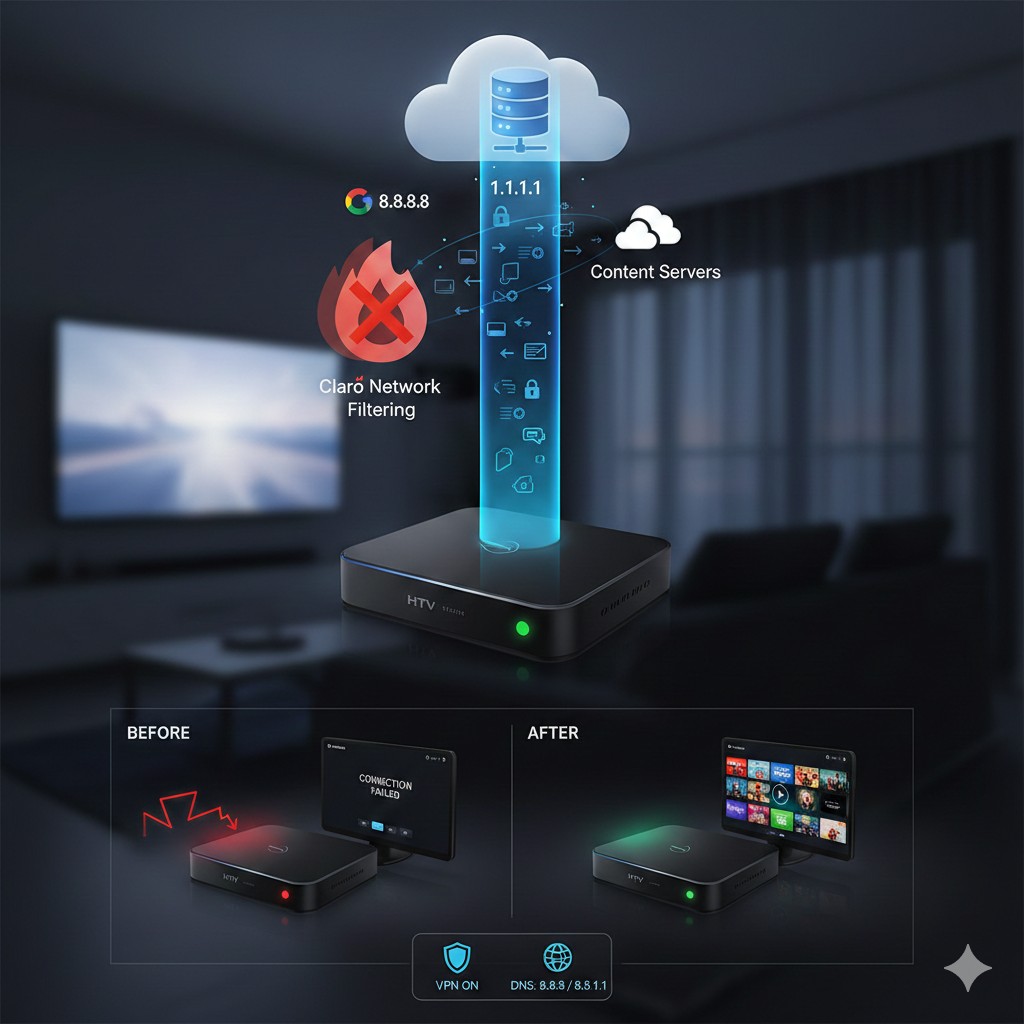
In recent months, many HTV and UniTV users have started reporting serious issues when using these devices connected to Claro’s internet network. In many cases, the devices suddenly stop working, show a black screen, a red LED light, or simply fail to load content. As a result, information began circulating about a possible type of malware or blocking applied directly at the network level.
Regardless of the term used, the fact is that there is a real impact on how these devices function. That is why more and more people are looking for prevention methods to avoid having their devices affected or suddenly stop working.
In this post, we explain everything clearly, using simple words, focusing on SEO and, most importantly, based on real-world experience. You will understand what is happening, why HTV and UniTV are affected, and how using a VPN and changing DNS settings can help reduce these risks.
What is happening with HTV and UniTV?
Reports started sporadically but quickly became frequent. Users noticed that HTV and UniTV devices that previously worked normally could no longer access servers, update lists, or load channels.
In many cases, the same device works again when connected to another internet network, such as fiber from a different provider or even mobile hotspot. This reinforces the idea that the problem is not with the device itself, but with how the network handles the connection.
The term “malware” began to be used because, for the end user, the effect is similar: the device becomes unusable. In practice, however, what happens is much closer to traffic blocking, data filtering, or restricted access to certain servers.
Why can the network block these devices?
Devices like HTV and UniTV rely entirely on constant communication with external servers. They need to access specific addresses for authentication, updates, and content loading.
When an internet provider applies stricter filters, monitors traffic, or limits certain types of connections, these devices are directly affected. Their systems were not designed to handle aggressive blocking.
In real use, the user notices this when:
-
The LED stays red or frozen
These signs indicate communication failure, not physical damage.
How to prevent blocking before it happens
Prevention is the most important point. Many users only look for solutions after the device completely stops working. Those who act in advance have a much better chance of maintaining stable operation.
Today, the two main prevention methods are:
-
Using a VPN
-
Manually changing DNS
Let’s explain each one simply.
Why does using a VPN help?
A VPN creates a secure tunnel between your device and the internet. This means the traffic does not pass through the provider in a direct and visible way.
In practice, the network cannot clearly identify which servers the HTV or UniTV device is accessing. It only sees an encrypted connection to a VPN server.
This drastically reduces the chances of targeted blocking. Many users report that after installing a VPN, their devices either started working again or never experienced failures at all.
Another important point is that VPNs help keep the connection more stable, especially on networks that use deep packet inspection.
Is a VPN difficult to install?
No. Today, there are VPNs compatible with Android and TV Box devices that work in just a few steps:
-
Install the app
-
Log in
-
Activate the connection
Within seconds, the device starts browsing securely.
The importance of changing the device DNS
In addition to a VPN, changing the DNS is a crucial prevention step. DNS is responsible for translating the addresses the device accesses.
When you use the provider’s default DNS, all control goes through them. This makes blocking, redirection, and access failures easier.
That is why the most common recommendation is to use public and reliable DNS services.
The most recommended are:
-
Primary DNS: 8.8.8.8
-
Secondary DNS: 1.1.1.1
These DNS servers are fast, secure, and widely used worldwide. In practice, they reduce connection errors and prevent simple domain blocks.
Why use VPN and DNS together?
This combination delivers the best results. Proper DNS ensures addresses are resolved correctly, while the VPN protects all traffic.
Users who applied only one solution reported partial improvements. Those who used both VPN and DNS achieved much more consistent results.
This happens because even if the provider tries to apply filters, the impact is reduced at multiple levels.
Real user experience with HTV and UniTV
In practice, many users report that new devices configured from the start with VPN and proper DNS did not experience problems, even on networks where other devices stopped working.
There are also reports of devices that were failing and returned to normal operation after applying these measures. This reinforces that the issue lies in the connection, not the hardware.
Another observed benefit is reduced freezing and faster loading, improving the overall user experience.
Is this prevention definitive?
It is important to be clear: there is no absolute guarantee. Network blocking methods can change, evolve, or become more aggressive.
However, today, using a VPN and proper DNS is the best prevention method available. Those who act in advance experience fewer issues and greater stability.
Prevention does not eliminate all risks, but it drastically reduces the chances of unexpected blocking.
Important precautions
Avoid unknown or free VPNs with no reputation, as some may be slow or unstable.
After changing DNS and activating the VPN, always test the device’s operation and check if apps load normally.
If possible, keep these settings active from the very first use of the device.
Conclusion
Blocking of HTV and UniTV devices on Claro’s network has become a real concern for many users. Although some call it “malware,” the issue is much more related to network filters and restrictions.
The best way to prevent problems is to act before they occur. Installing a VPN and setting the primary DNS to 8.8.8.8 and the secondary DNS to 1.1.1.1 is currently the most effective strategy.
This combination increases stability, reduces blocking, and provides greater security for those who rely on these devices daily.
Need support or want more details? Contact us via WhatsApp!